What the Tredict MCP Server actually gives Claude or ChatGPT
If you want the personal account first, there is a practical writeup of one month using this setup for a running comeback. This article focuses on what is actually happening under the hood.
Most AI training tools work like this: you describe your situation, the model makes something up based on general training knowledge, and you hope it fits. Sometimes it does, often it does not.
The Tredict MCP Server works differently, and it is worth explaining why.
MCP, briefly
MCP stands for Model Context Protocol. It is a standard that lets an AI model call external tools and data sources during a conversation, the same way a developer might call an API. The Large Language Model (LLM) does not just generate text based on training data, it actively fetches information and triggers actions in connected systems.
In this case, the connected system is Tredict, and what Claude can access through it is quite specific. The examples here use Claude, but the same tools and data are available to ChatGPT, Codex and Mistral through the same server.
The data Claude can pull
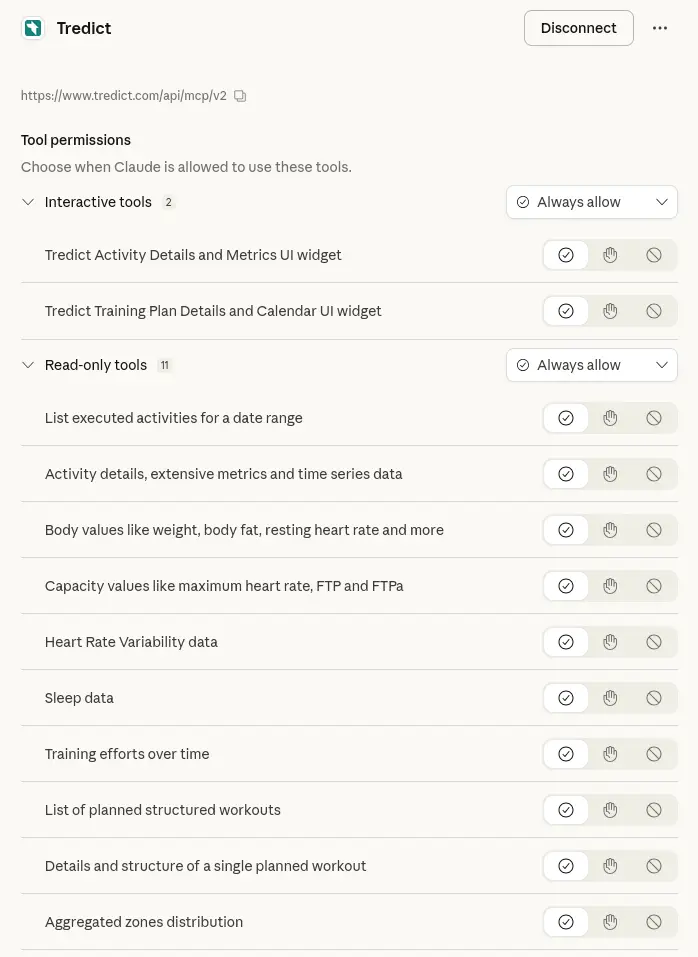
Through the MCP Server, Claude has access to the following:
Executed activities including full time series data. That means not just summary stats like total distance or average heart rate, but the actual second-by-second data points for speed, heart rate, cadence, power, altitude, position and even the Garmin running dynamics like ground contact time balance, vertical oscillation and so on. Claude can look at what happened in a specific segment of a run, not just the run as a whole.
Capacity values over time: FTP for cycling, FTPace for running, maximum heart rate, lactate threshold. These are updated as date-based revisions, so Claude can see how they changed across months or years.
Heart rate zones by sport type and zone type, including heartrate, pace, power and cadence zones.
Heart Rate Variability data, specifically RMSSD measured during the night, with a rolling two-week baseline for comparison.
Sleep data with a similar structure: nightly totals and a two-week baseline.
Body values including resting heart rate, weight, body fat percentage, body water percentage and muscle mass, also tracked as revisions over time.
Training effort per day, aggregated across sport types.
Zone distribution by month and sport type, calculated from the actual time series data of activities.
Planned workouts including their full structure, individual intervals, targets and notes.
That is a substantial amount of data. More importantly, it is personal data grounded in actual recorded activity, not estimates or self-reported numbers.
The actions Claude can trigger
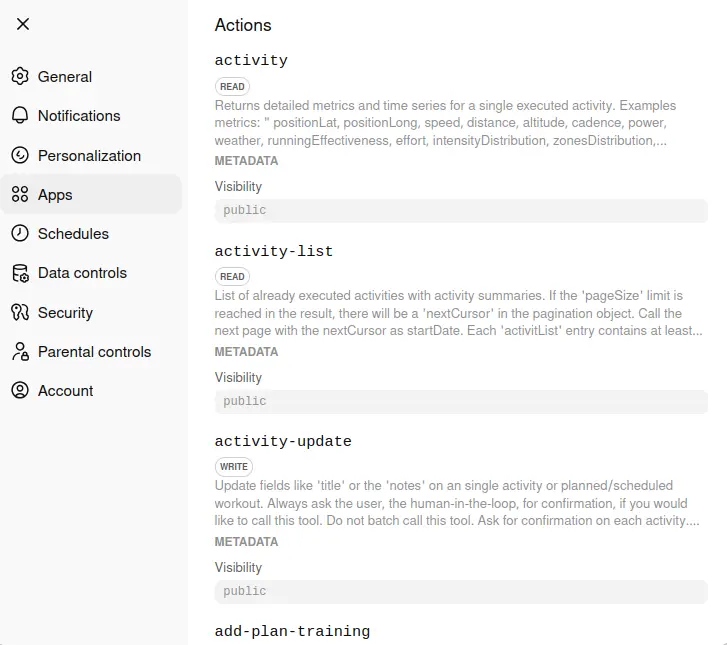
Beyond reading, Claude can also trigger actions:
It can create structured training plans in Tredict, not just as text suggestions but as actual plan objects with individual workouts, each containing intervals, targets, sport types and timing. These plans show up in Tredict and can be applied to the training calendar.
It can update activity titles and notes, which is useful for cleaning up a training history where most sessions are named something like "Morning Run 3".
It can display interactive UI widgets directly in the chat, showing a specific activity with its map, laps and metrics, or a full training plan with its calendar structure.
Why a model with this much context plans differently
The key difference between this and asking an AI to write you a training plan is what the model is reasoning about.
When Claude creates a plan through Tredict, it can first look at your actual training history, your current capacity values, your HRV trend, your zone distribution over the past months. The resulting plan is built on that, not on general principles about what a 10k training block should look like.
It can also work iteratively. After a session is executed and synced back to Tredict, Claude can look at the actual data from that session, compare it to what was planned, and adjust the next workout accordingly. You can go session by session or ask for a full block several weeks out.
The watch is the last hop
Once a plan or workout exists in Tredict, it syncs automatically to connected devices. Tredict integrates with Garmin, Coros, Suunto, Wahoo, icTrainer and others. The structured workout lands on the watch with the correct intervals, targets and durations, ready to execute.
That closes the loop: the model reasons about your data, creates a plan, Tredict pushes it to your watch, you run it, the data comes back into Tredict, and it can look at it again.
Where it still gets things wrong
The MCP Server provides tools with descriptions that tell the model what each tool does and how to call it. But how a model interprets those descriptions is not guaranteed. Some models handle complex tool descriptions well, others lose track when the context grows too large, skip tools entirely, or call them with wrong parameters. The server can offer the tools, but it cannot force the model to use them correctly. That is why the same MCP Server can produce noticeably different results depending on which model you connect it to.
The model also depends on the quality of the data it receives. If your zones are not calibrated, the plans will be off. If you have gaps in your training history, the analysis will miss context.
It is also worth being sceptical of confident-sounding output. Claude will give you structured, plausible answers even when it is working from incomplete information. The tools are good, but they do not replace knowing what you are doing. If you like to train with a coach, Claude cannot replace the coach, just to be clear.
Where to actually start
If you want to see what this looks like in practice, the Tredict MCP Server blog post shows examples and interactive demos. For the full technical reference, the MCP Server documentation lists every available tool and prompt in detail. Connection guides exist for Claude, ChatGPT, Codex and Mistral. Read access to Tredict is free. New accounts include three months of write access.
If you want to get started, the setup guide covers the connection steps for Claude, ChatGPT and other clients.